
How to recategorise items in Curated (3 ways)
Good to know
- Dragging is quickest after a big upload, while selecting a batch works best when you know a group are all the same, say jumpers.
- A few categories go by different names in your Wardrobe. Leg Wear shows as Bottoms, One Pieces as Dresses & Sets, and Footwear as Shoes.
- Pieces you've borrowed belong to your friend, so only they can change the category.
Step by step
Open your Wardrobe
Tap Wardrobe (the hanger icon), then the items tab.
Turn on recategorise mode
Tap the tag-shaped icon in the row of icons at the top. You'll see Drag items across to change their category.
Drag a piece across
Your items are on the left and the main categories, such as Tops, Leg Wear and Footwear, are on the right. On a phone, hold a piece still for a moment, then drag it onto a category.
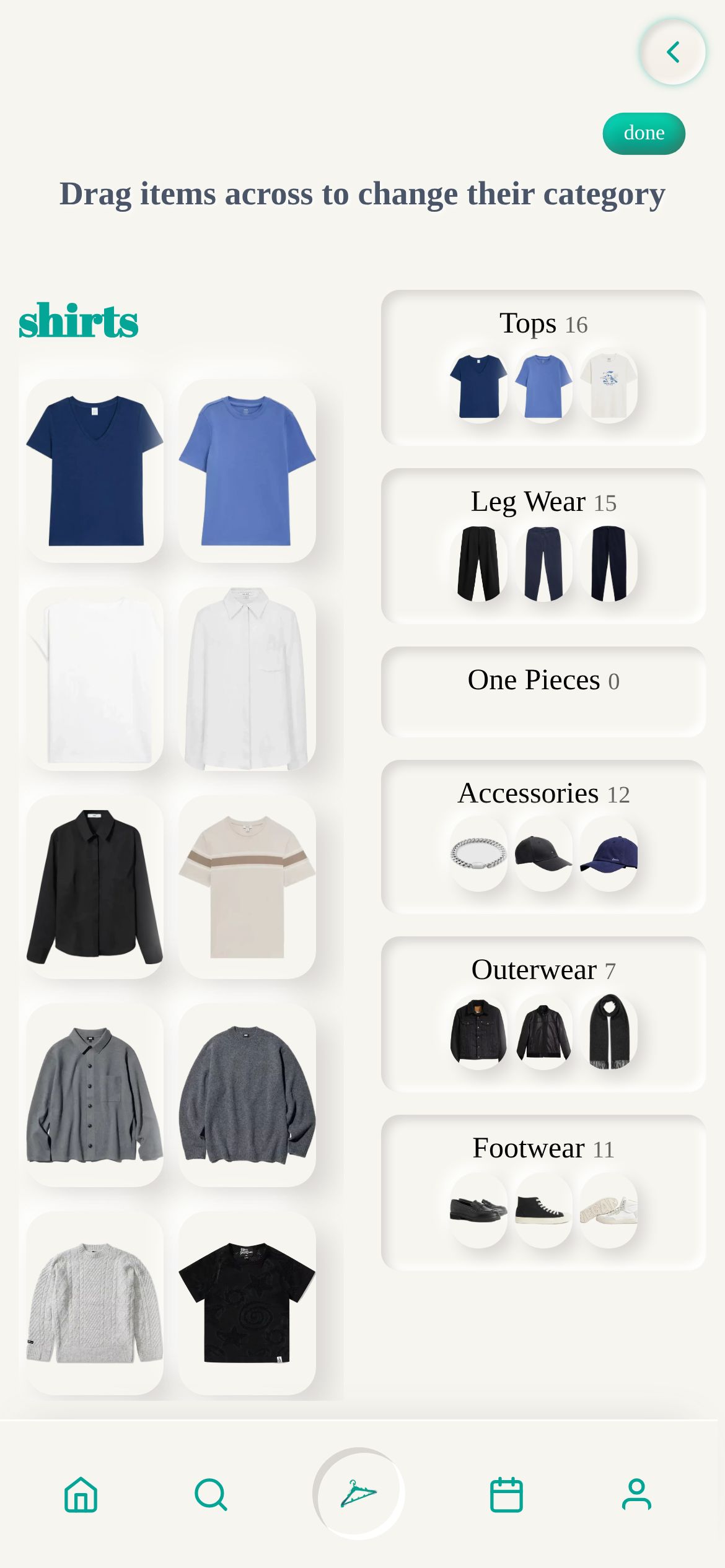
Choose the exact category
Under Choose a category, tap the right one, such as jeans or trainers. A tick shows it's saved.
Finish
Tap done at the top when you've finished.

Common questions
How do I change the category of several items at once?
You select them, then pick one category for all of them:
- In your Wardrobe, long-press a piece (right-click on a computer) to start selecting.
- Tap every piece that belongs in the same category. select all picks everything.
- Tap the tag icon in the bar at the bottom.
- Under Select Category, tap a main category to open it, then tap the exact one. They all change at once.
- Tap Exit to stop selecting.
How do I change the category of one item?
Inside the piece, you choose the category from the list and tap save.
Where are items without a category?
Items without a category appear under Others in your Wardrobe.
Why can’t I drag some pieces?
Borrowed pieces don’t appear in drag and drop, because they belong to your friend.
Checked against Curated 10.7 on 25 October 2026.