
How to post on Curated
What is Explore?
Explore is Curated's public feed: outfit and gallery posts from people across the app, plus challenge entries, which you can scroll for ideas and like, save and comment on. Your closet, outfits and capsules stay private until you choose to share one. If your profile is private, your posts only reach your friends.
Good to know
- Posts can't be edited once they're shared, so it's worth giving your caption a quick read first. If something slips through, you can delete the post and share it again.
- Deleting a post also removes its likes, comments and votes.
- Threads without a picture don't appear on Explore.
Step by step
Before you start:
- If your profile is public, anyone can see what you post. If it's private, only your friends can. Your closet stays private either way.
Start a post
On the home screen, go to Outfit on your mind? Share it! Or tap + and choose create post.
Choose a post type
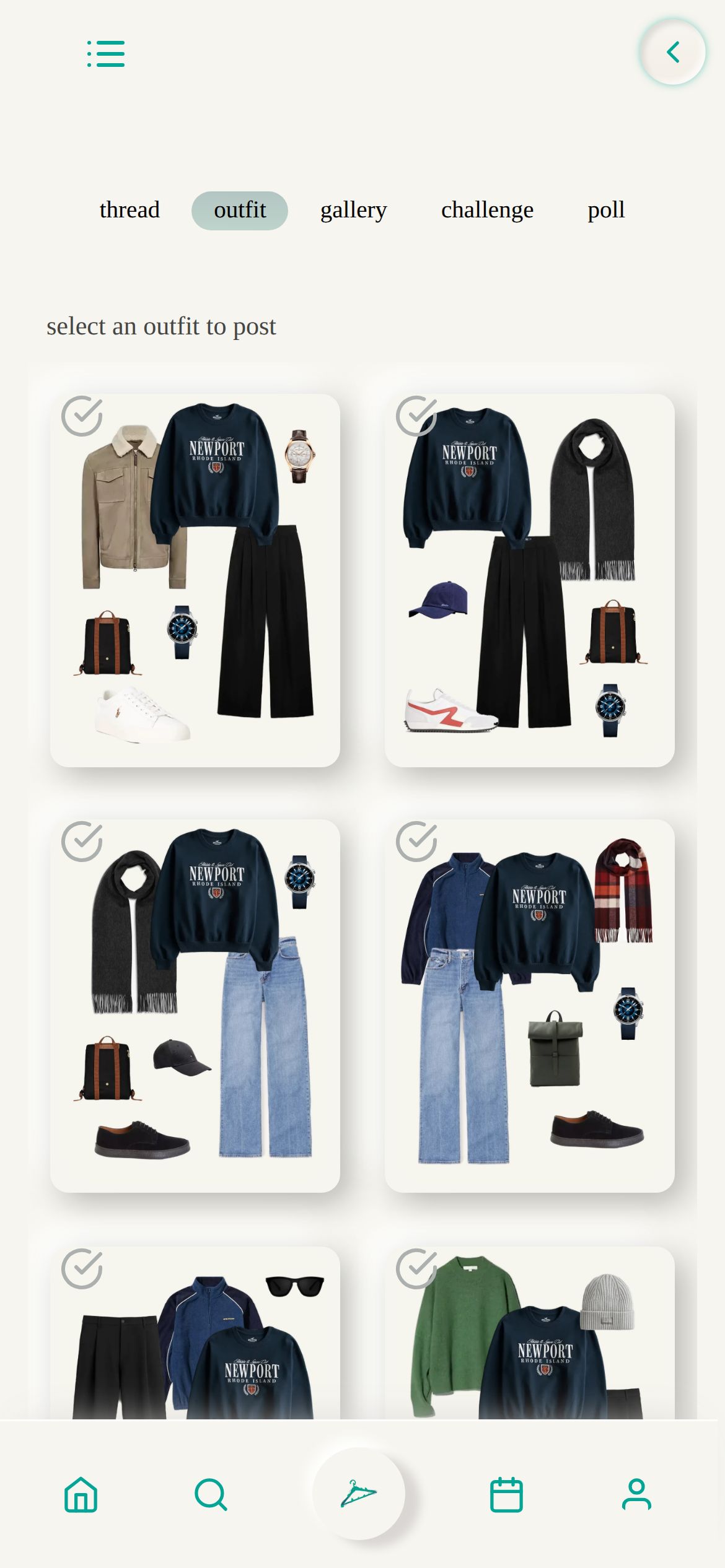
Tap outfit to share a saved outfit, gallery to share a photo, or thread to start a discussion. Polls and challenges have their own guides, linked below.
Add your outfit or photo
For outfit, tap the one you want. For gallery, choose a photo under 10 MB. Photos are cropped to a portrait shape.
Add a caption and an aesthetic
Type in caption goes here..., then tap add an aesthetic and choose one, like clean girl or business casual. It helps people who like that style find your post.
Share it
Tap Share. Your post opens so you can see it.

Common questions
Who can see my posts?
If your profile is public, anyone can see your outfit and gallery posts, on Explore and on your profile. If it’s private, only your friends can. Private profile in Settings switches it either way.
If you’re under 18, your profile starts private. Even if you make it public, your posts aren’t shown to people who aren’t logged in, and only your friends can comment.
Why isn’t my post on Explore?
Only posts with a picture appear on Explore, and if your profile is private only your friends see them. Posts from people you’ve blocked are hidden from you.
How do I delete a post?
It’s in the ⋮ menu on the post, under delete. Curated checks with you first, so it’s yes to confirm.
How do I like, save or comment on a post?
The heart likes a post, the bookmark saves it and the speech bubble opens the comments. Keep comments brief. Your own comments have a bin icon, in case you change your mind.
Can I post a poll, a challenge or a fit check?
Yes. Each has its own guide:
Checked against Curated 10.7 on 25 October 2026.