
How to create an outfit in Curated
Good to know
- Creating and Saving an outfit doesn't make it public. It stays private to you unless you choose to share it as a public post.
- Don't worry if you can't see accessories in the outfit brainstormer, you'll be able to add those at the next step.
- If your wardrobe is still small, you may see a few pieces marked sample in the Outfit Brainstormer feature. They're ready-made examples to try while you're still getting ready to add your own clothes.
- If you'd like Curated AI to suggest outfit combinations for you, take a look at How to use the outfit generator in Curated.
- Once you're on the collage section, you can add stickers, text, drawings and fun backgrounds to your outfits. How to make an outfit collage in Curated will walk you through it. Go ahead and unleash the creativity.
Step by step
Before you start:
- You'll need at least a few clothes in your Wardrobe. If your Curated account is empty, add clothes first, or try it out with sample pieces to see how it works, but the real fun starts when you add your own wardrobe to the mix, so we really recommend you add your own clothing items first.
Method 1: The Outfit Brainstormer
Tap the 'plus' button
You'll see the plus button in the bottom corner. Tap it, and a small menu will open over the screen.
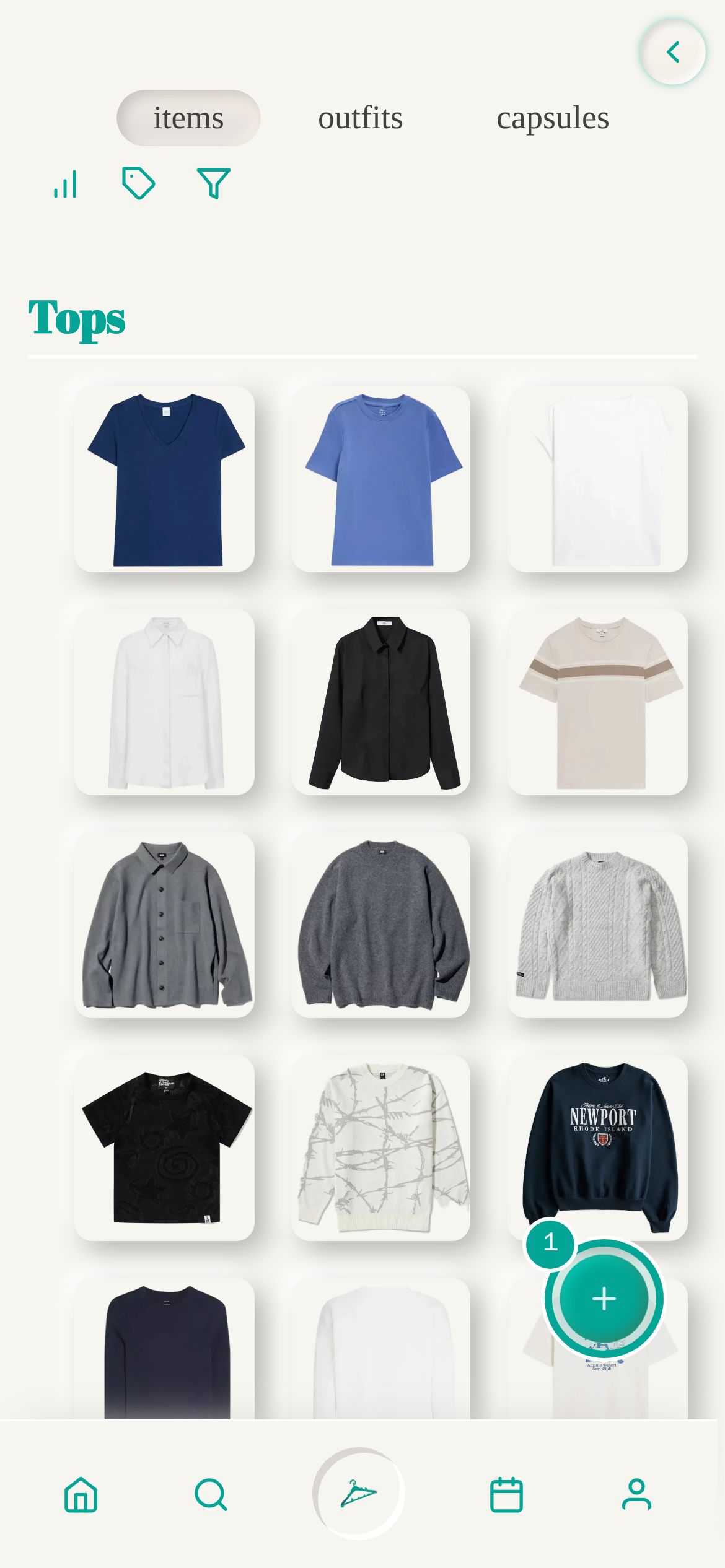
Choose create outfit
Tap create outfit. The outfit brainstormer opens, and you'll be able to match any top to any legwear, to see what that would look like as an outfit.
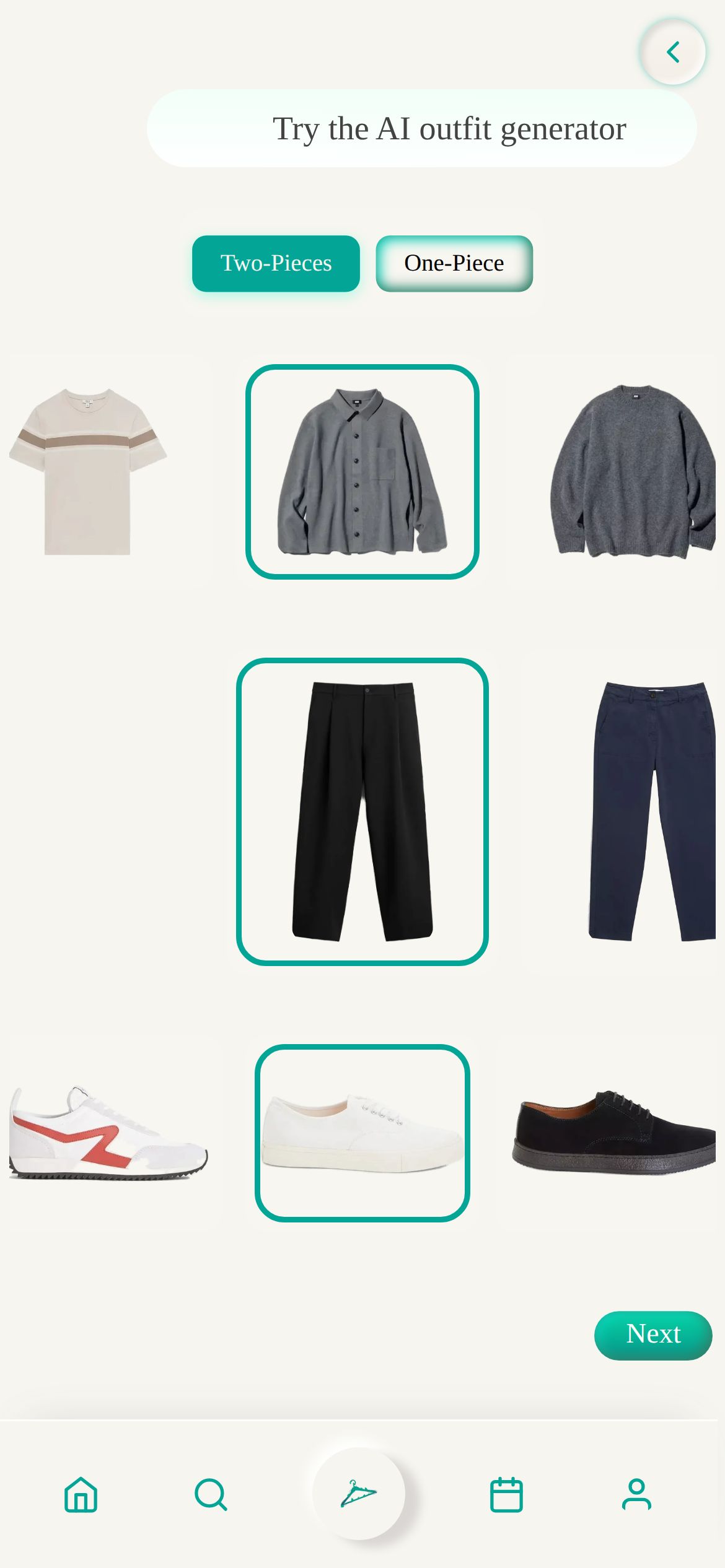
Toggle between Two-Pieces or One-Piece
At the top you'll see Two-Pieces and One-Piece. Two-Pieces is for matching tops to legwear. One-Piece is perfect for building outfits around dresses and jumpsuits.
Swipe to your heart's content
Swipe around and find the perfect outfit combo. Whichever piece sits in the teal box in the middle is the one in your outfit, and you can also tap a piece to bring it to the middle.
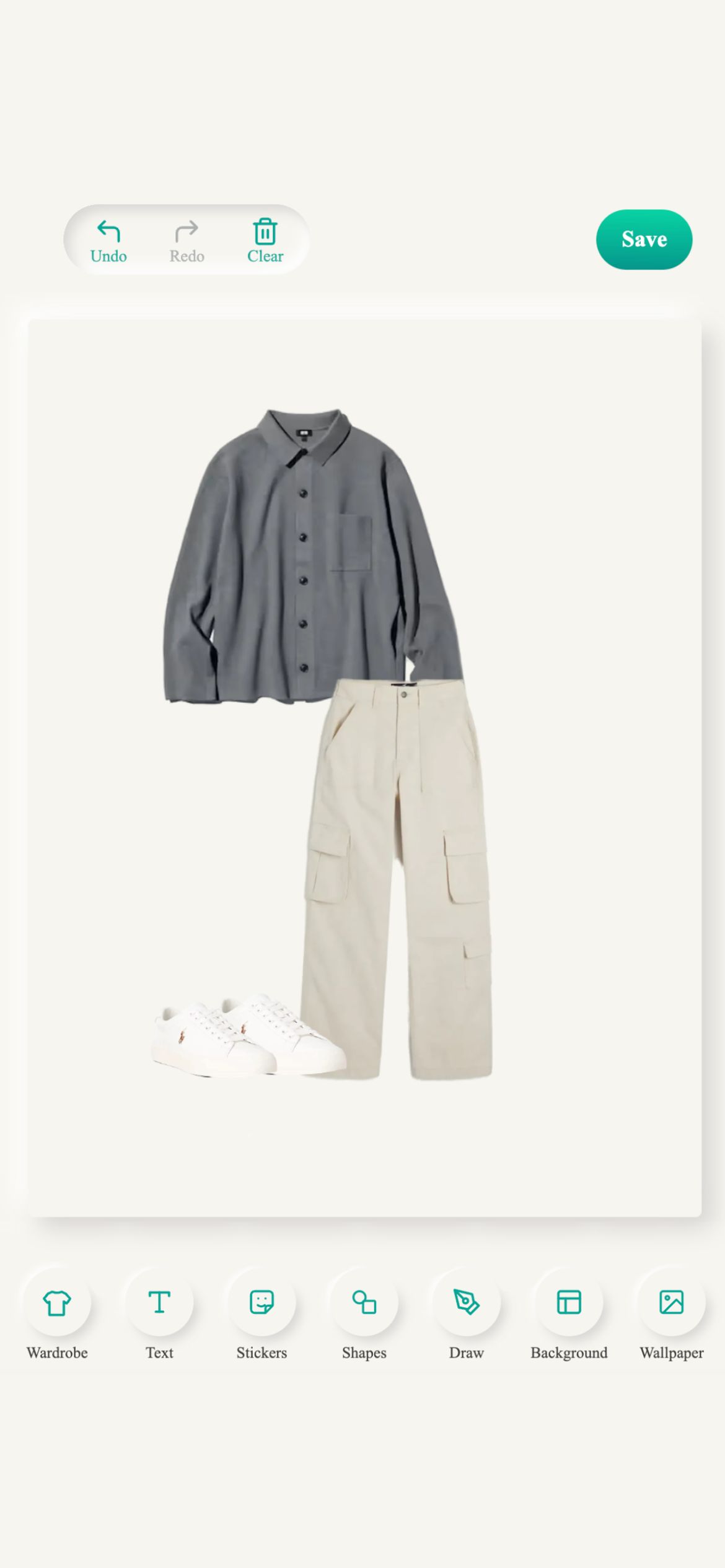
Save your outfit
When the pieces in the middle look right together, scroll down and tap Next, on the bottom right. You'll see your chosen pieces placed on a collage board. Feel free to get creative or simply add a few finishing touches. Click save and you're done!
View your outfits
All your saved outfits can be seen under wardrobe in the outfits tab.


Method 2: Collage only
If you have an outfit idea in mind already, i.e you know exactly which clothing items you want to use in an outfit, you can skip the Outfit Brainstormer and go straight to collage mode.
Select the pieces you'd like for the collage
In the Items section of your wardrobe, select the clothing items you'd like to add to your outfit collage. Long press on a clothing item to enter select mode. Tap any of the pieces to select them.
Create outfit in the Collage Mode
In the round buttons along the bottom, tap outfit. The collage opens with your selected pieces on there.
Arrange the pieces
Drag each piece to where you'd like it, and use the corner handles to resize it. You can also add more clothing items by tapping "add items"
Get creative
Add text, stickers, backgrounds, make it your own!
Save
Tap save at the bottom when you're done.
Choose whether to post it
You can choose to make your outfit public or save it private to you.
To edit a saved outfit
Go to Wardrobe, open the outfits tab and tap the outfit you want.
Tap the pencil icon
Tap the pencil icon at the bottom of the outfit's page. The collage opens as you left it.
Tap save
Make your changes and tap save. The new picture replaces the old one, and you'll land back on the outfits tab.
Common questions
Do I have to post my outfit?
No. Saving keeps the outfit private to you. The Post this outfit to the feed? popup only appears when you’ve created an outfit and tapping no keeps the outfit private. If you change your mind later, you can post a saved outfit by ticking it in the outfits tab and tapping make post.
How do I copy an outfit?
Open the outfits tab, tap the outfit, then tap the copy icon at the bottom of its page. Curated makes a copy straight away and opens it to edit, so you can try a variation while keeping the original. You can also tick one outfit in the list and use the copy icon in the bar there.
How do I plan an outfit for a day?
In the outfits tab, press and hold an outfit to tick it, then tap the calendar icon and choose a date. There’s more in How to plan outfits on the Curated calendar.
How do I delete an outfit?
In the outfits tab, press and hold the outfit to tick it, then tap the bin icon. Related posts will still exist. Deleting an outfit also takes it off your calendar, but any posts you made from it stay where they are. Your clothing items aren’t affected.
Where did my outfit go after I saved it?
Open Wardrobe and tap the outfits tab. Your newest outfit is first in the grid.
Checked against Curated 10.7 on 1 November 2026.